graphics improvement for arm mali GPU's users
this is a guide to compile graphic drivers in your termux with ubuntu-on-android
- You can improve graphic up to a good extend than the normal proot environment
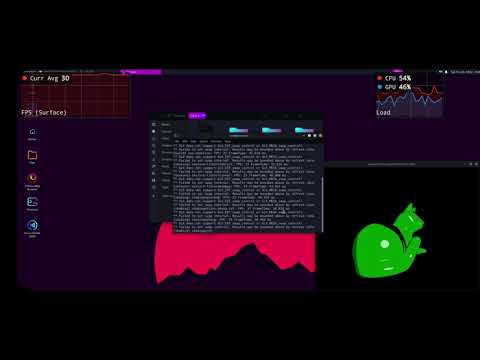
- See the results
- termux app with proot and Linux installed (recommended ubuntu-on-android)
- No root required
- supported mali GPU's
| GPU | Architecture | OpenGL ES | OpenGL |
|---|---|---|---|
| Mali T720 | Midgard(v4) | 2.0 | 2.1 |
| Mali T760 | Midgard(v5) | 3.1 | 3.1 |
| Mali T820 | Midgard(v5) | 3.1 | 3.1 |
| Mali T860 | Midgard(v5) | 3.1 | 3.1 |
| Mali G72 | Bifrost(v6) | 3.1 | 3.1 |
| Mali G31 | Bifrost(v7) | 3.1 | 3.1 |
| Mali G52 | Bifrost(v8) | 3.1 | 2.1 |
You can check your's GPU model in apps like aid64-> Display -> GPU Renderer
we are going to use mesa -> panforst gallium driver which makes a llvmpipe to actual GPU
- About penforst
The Panfrost driver stack includes a non-conformant OpenGL ES implementation for Arm Mali GPUs based on the Midgard and Bifrost microarchitectures
apt install git -y
git clone https://github.com/mesa3d/mesaedit apt sources /etc/apt/sources.list and append deb-src http://ports.ubuntu.com/ubuntu-ports/ hirsute main restricted and save the file
next update apt indexes
apt updatenow go to the directory where you cloned mesa and build dependencies with this command
apt-get build-dep mesaFor others
zypper source-install --build-deps-only Mesa # openSUSE/SLED/SLES
yum-builddep mesa # yum Fedora, OpenSuse(?)
dnf builddep mesa # dnf Fedoracd to mesa folder cd mesa, and start compiling with this command
meson . build/ -Ddri-drivers= -Dvulkan-drivers= -Dgallium-drivers=panfrost -Dllvm=falseif you have dri drivers and Vulkan drivers for your device the add their path or leave it empty like above command
After you are done with building next is to install it
cd to your build directory cd build then run this
sudo ninja installNow this one take some time depending on your device speed so take a break.
after its done installing it stores library at /lib or /lib64 or /usr/local/lib directory make sure you read last output lines to know your's we need to export the path to env variable LD_LIBRARY_PATH
For my aarch64 device, it is like this
export LD_LIBRARY_PATH=/lib/aarch64-linux-gnu/this varible unset's in new session so append this line in your bashrc file
echo "export LD_LIBRARY_PATH=/lib/aarch64-linux-gnu/" >> ~/.bashrcNow you can start your vnc with llvmpiped and experience some smooth feel
I usually available in gitter and Github discussions but mostly in discord