-
-
Notifications
You must be signed in to change notification settings - Fork 43
Publish APK
Efra Espada edited this page Nov 10, 2018
·
8 revisions
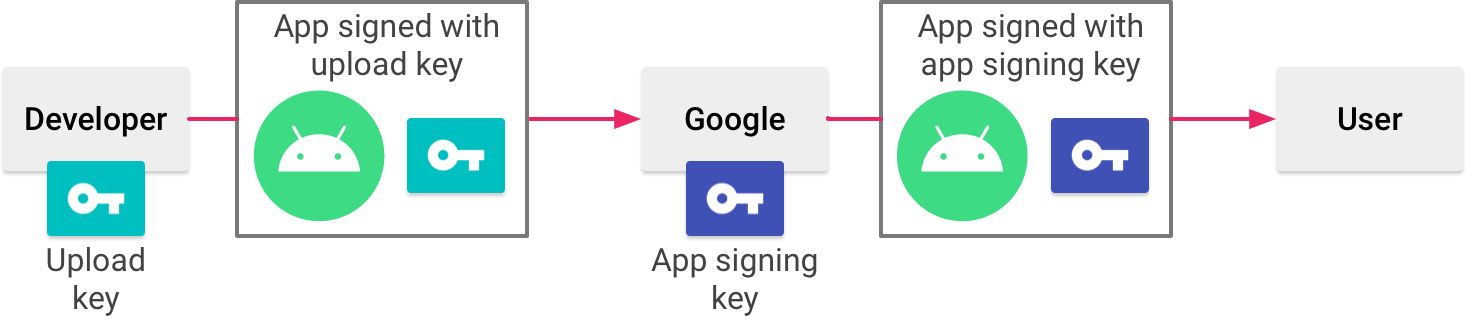
Due to StringCare needs the final fingerprint, you must sign your APK with the signing key, not the upload key, which is more commonly used.
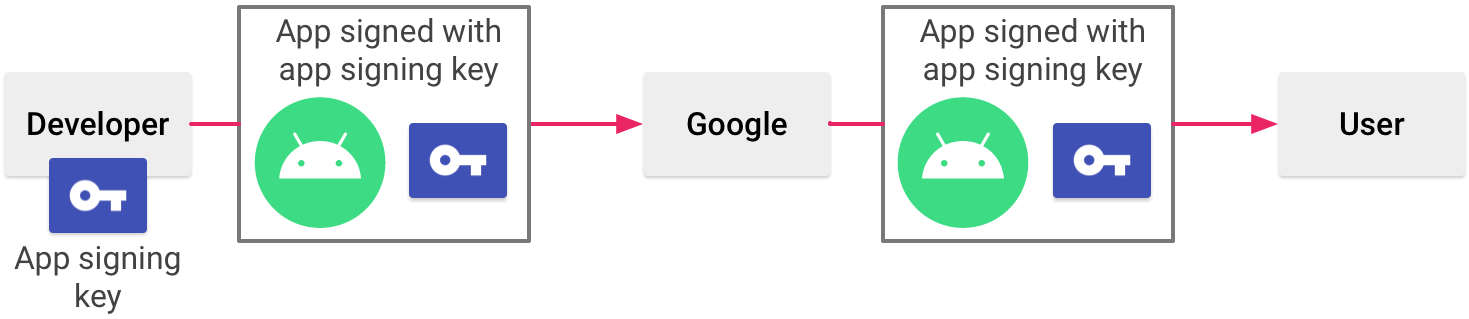
When the upload key is used, Google resigns the APK with the signing key before publishing it and StringCare won't be able to de-obfuscate the strings.
More information can be found in the Android Developers page Manage your own key and keystore.
Licensed under the Apache License, Version 2.0 (the "License");
you may not use this file except in compliance with the License.
You may obtain a copy of the License at
http://www.apache.org/licenses/LICENSE-2.0
Unless required by applicable law or agreed to in writing, software
distributed under the License is distributed on an "AS IS" BASIS,
WITHOUT WARRANTIES OR CONDITIONS OF ANY KIND, either express or implied.
See the License for the specific language governing permissions and
limitations under the License.

