gradle에서 spring 프로젝트로 생성하기
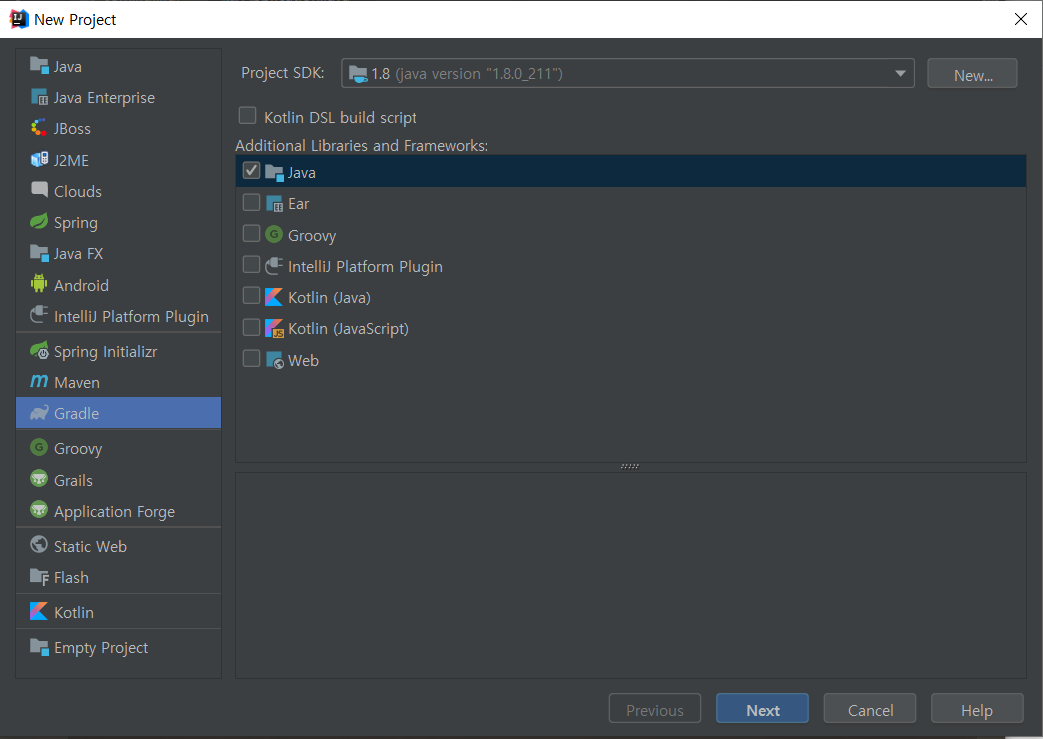
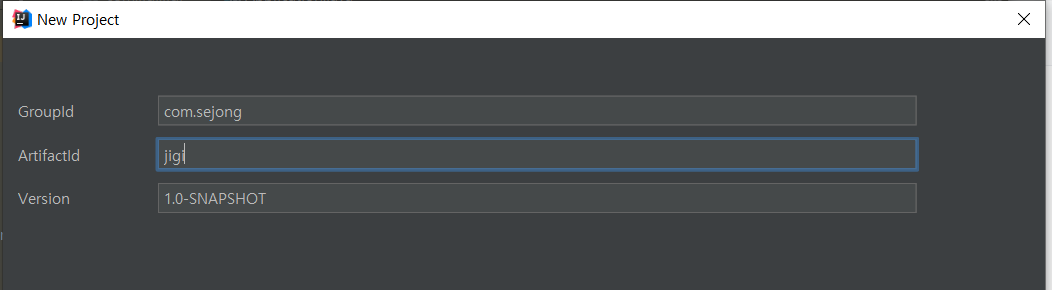
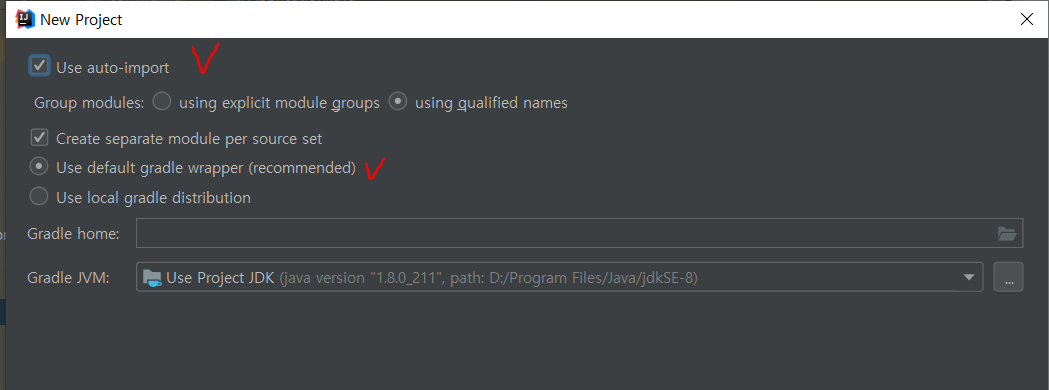
다음단계에서 프로젝트 파일 이름, 경로 확인하고 finish.
프로젝트 생성하면 처음모습부터 아래모습은 아니다. 표시한 패키지, Application파일이 없을 것임.
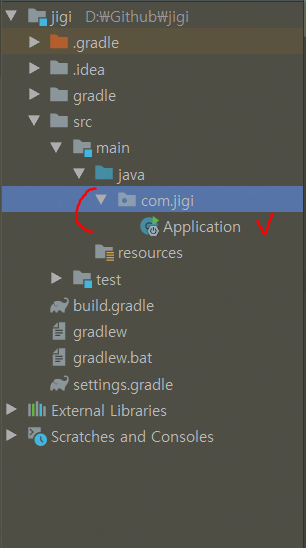
우선 build.gradle에 buildscript를 추가해주고
buildscript {
    ext {
        springBootVersion = '2.1.9.RELEASE'
    }
    repositories {
        mavenCentral()
        jcenter()
    }
    dependencies {
        classpath("org.springframework.boot:spring-boot-gradle-plugin:${springBootVersion}")
    }
}

apply plugin: 'java'
apply plugin: 'eclipse'
apply plugin: 'org.springframework.boot'
apply plugin: 'io.spring.dependency-management'
의존성도 추가
dependencies {
    compile('org.springframework.boot:spring-boot-starter-web')
    testCompile group: 'junit', name: 'junit', version: '4.12'
}
java 경로 밑에 아무 파일이 없을텐데
자기 build.gradle 파일 안에 group id부분을 찾아서 위처럼 패키지 생성해주고, 메인클래스(여기선 Application)를 만들어주면된다.